> ## Documentation Index
> Fetch the complete documentation index at: https://docs.aryn.ai/llms.txt
> Use this file to discover all available pages before exploring further.
# Post-processing Options for Labels
> Using Output Labels to apply heuristics to tweak the output
Sometimes the output you get from Aryn DocParse isn't exactly what you want. You can mitigate this by specifying the `output_label_options` option which will apply simple heuristics to correct the output. Currently the two heuristics we support are `promote_title` and `orientation_correction`.
1. `promote_title` which will check if there's no title on the first page of the document and then intelligently choose one of other elements on the first page to promote to title.
2. `orientation_correction` will correct the orientation of rotated pages during the preprocessing step.
## Example
Let's look at the example below:
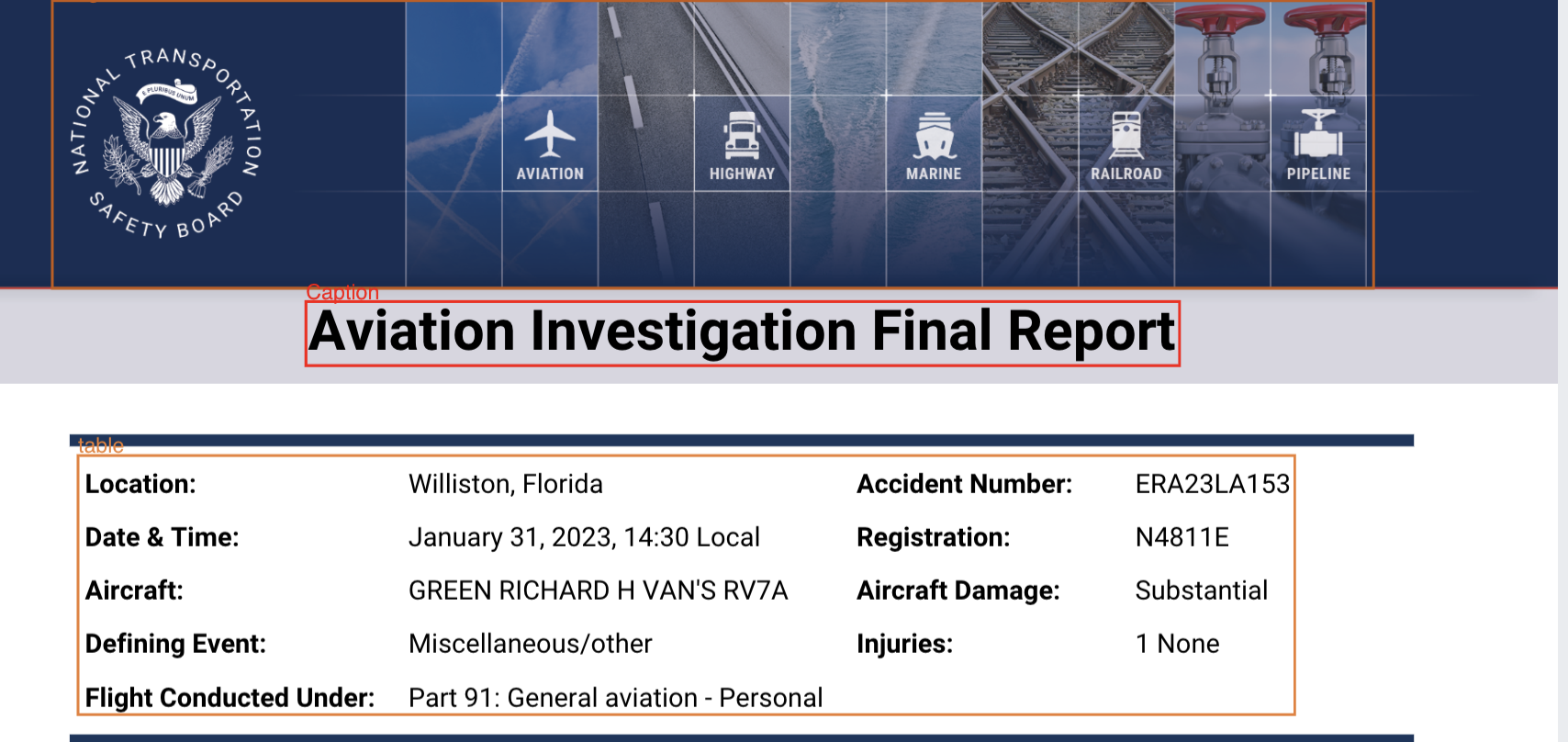 You'll notice that the "Aviation Investigation Final Report" is incorrectly detected as a "Caption" here. To fix this when using the `aryn-sdk`, you can call `partition_file` with the `output_label_options` parameter:
```python theme={null}
output_label_options = {"promote_title": True, "title_candidate_elements":["Section-header", "Caption"], "orientation_correction": False}
partitioned_file = partition_file(
file,
aryn_api_key,
extract_table_structure=True,
output_label_options=output_label_options
)
```
This will return the following output:
You'll notice that the "Aviation Investigation Final Report" is incorrectly detected as a "Caption" here. To fix this when using the `aryn-sdk`, you can call `partition_file` with the `output_label_options` parameter:
```python theme={null}
output_label_options = {"promote_title": True, "title_candidate_elements":["Section-header", "Caption"], "orientation_correction": False}
partitioned_file = partition_file(
file,
aryn_api_key,
extract_table_structure=True,
output_label_options=output_label_options
)
```
This will return the following output:
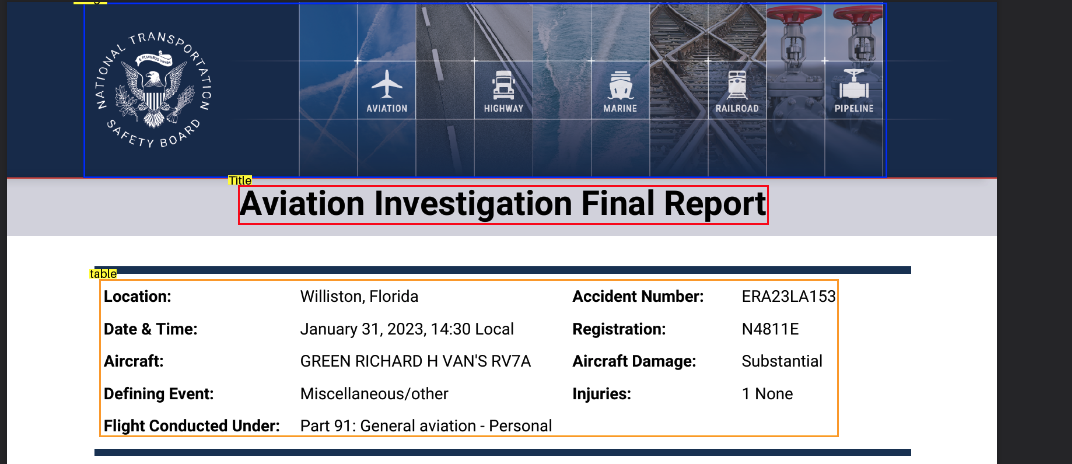 The heuristic chooses to promote an element on the first page whose type is in the `title_candidate_elements` list and has the largest font size.
Let's look at another example where the document has pages that are rotated.
The heuristic chooses to promote an element on the first page whose type is in the `title_candidate_elements` list and has the largest font size.
Let's look at another example where the document has pages that are rotated.
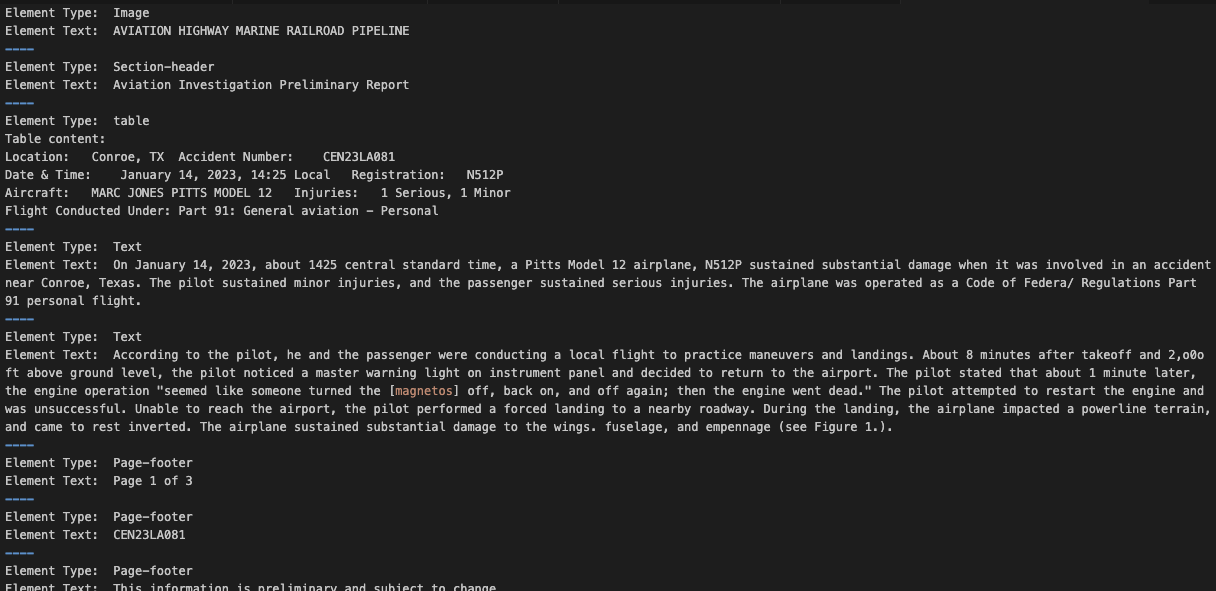
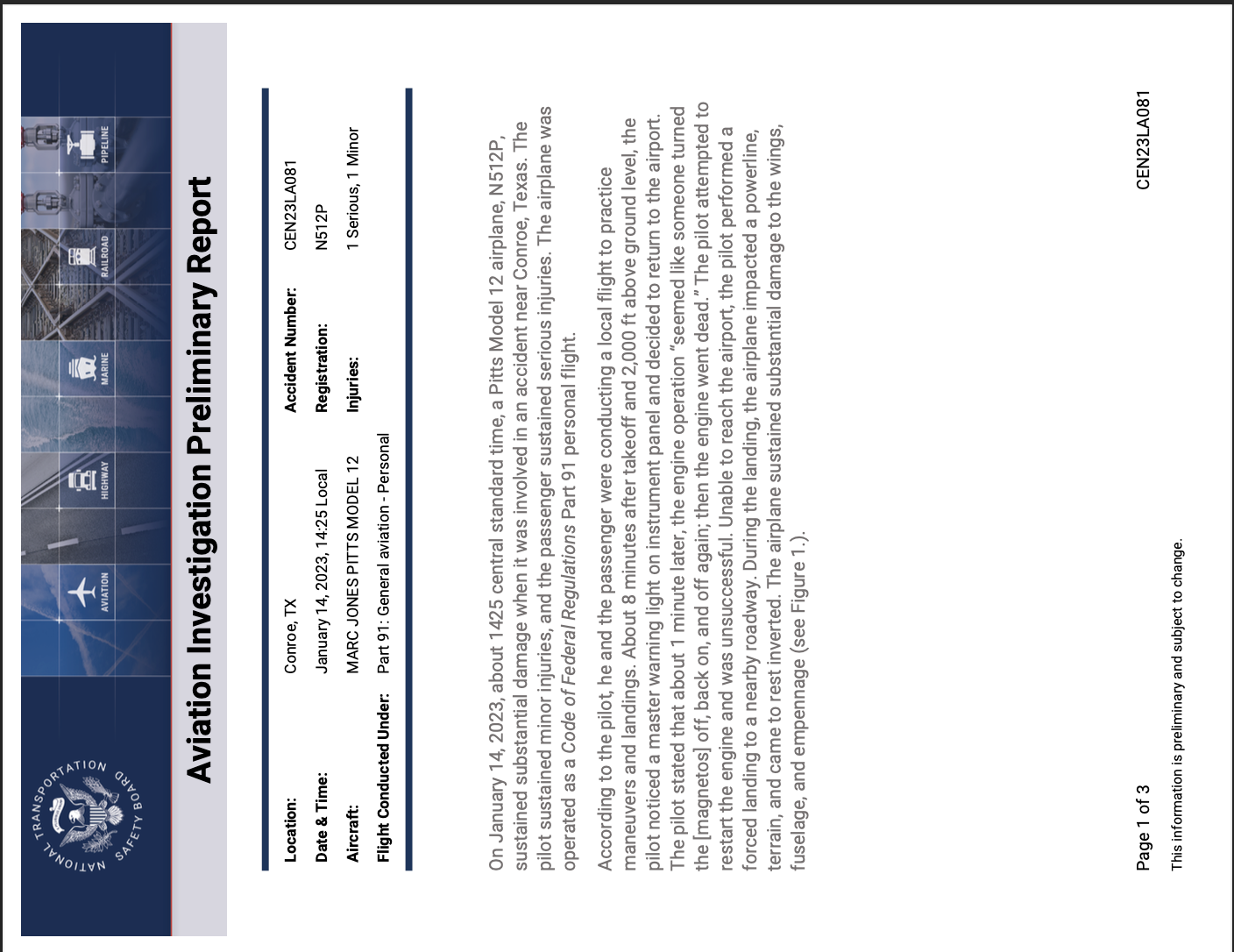 You can set `orientation_correction` to True to automatically correct the orientation of rotated pages, ensuring accurate information extraction.
```python theme={null}
output_label_options = {"orientation_correction": True}
partitioned_file = partition_file(
file,
aryn_api_key,
extract_table_structure=True,
output_label_options=output_label_options
)
```
This will return the following output:
You can set `orientation_correction` to True to automatically correct the orientation of rotated pages, ensuring accurate information extraction.
```python theme={null}
output_label_options = {"orientation_correction": True}
partitioned_file = partition_file(
file,
aryn_api_key,
extract_table_structure=True,
output_label_options=output_label_options
)
```
This will return the following output:
 ## Specify Output Label Options using curl
This is how you can use curl to specify these options:
```python theme={null}
curl -v -v -s -N "https://api.aryn.cloud/v1/document/partition"
-H "Authorization: Bearer $ARYN_API_KEY"
-F "file=@path/to/your/file"
-F 'options={"output_label_options": {"promote_title": true, "title_candidate_elements":["Section-header", "Caption"], "orientation_correction": true}}'
```
## Specify Output Label Options through Sycamore
This is how you can specify these options through sycamore:
```python theme={null}
partitioner = ArynPartitioner(
...
output_label_options = {"promote_title": True, "title_candidate_elements":["Section-header", "Caption"], "orientation_correction": True})
```
## Specify Output Label Options using curl
This is how you can use curl to specify these options:
```python theme={null}
curl -v -v -s -N "https://api.aryn.cloud/v1/document/partition"
-H "Authorization: Bearer $ARYN_API_KEY"
-F "file=@path/to/your/file"
-F 'options={"output_label_options": {"promote_title": true, "title_candidate_elements":["Section-header", "Caption"], "orientation_correction": true}}'
```
## Specify Output Label Options through Sycamore
This is how you can specify these options through sycamore:
```python theme={null}
partitioner = ArynPartitioner(
...
output_label_options = {"promote_title": True, "title_candidate_elements":["Section-header", "Caption"], "orientation_correction": True})
```