> ## Documentation Index
> Fetch the complete documentation index at: https://docs.aryn.ai/llms.txt
> Use this file to discover all available pages before exploring further.
# Tutorial: Suggest Properties with the DocParse UI
> Using the DocParse UI to suggest properties for a document
## Introduction
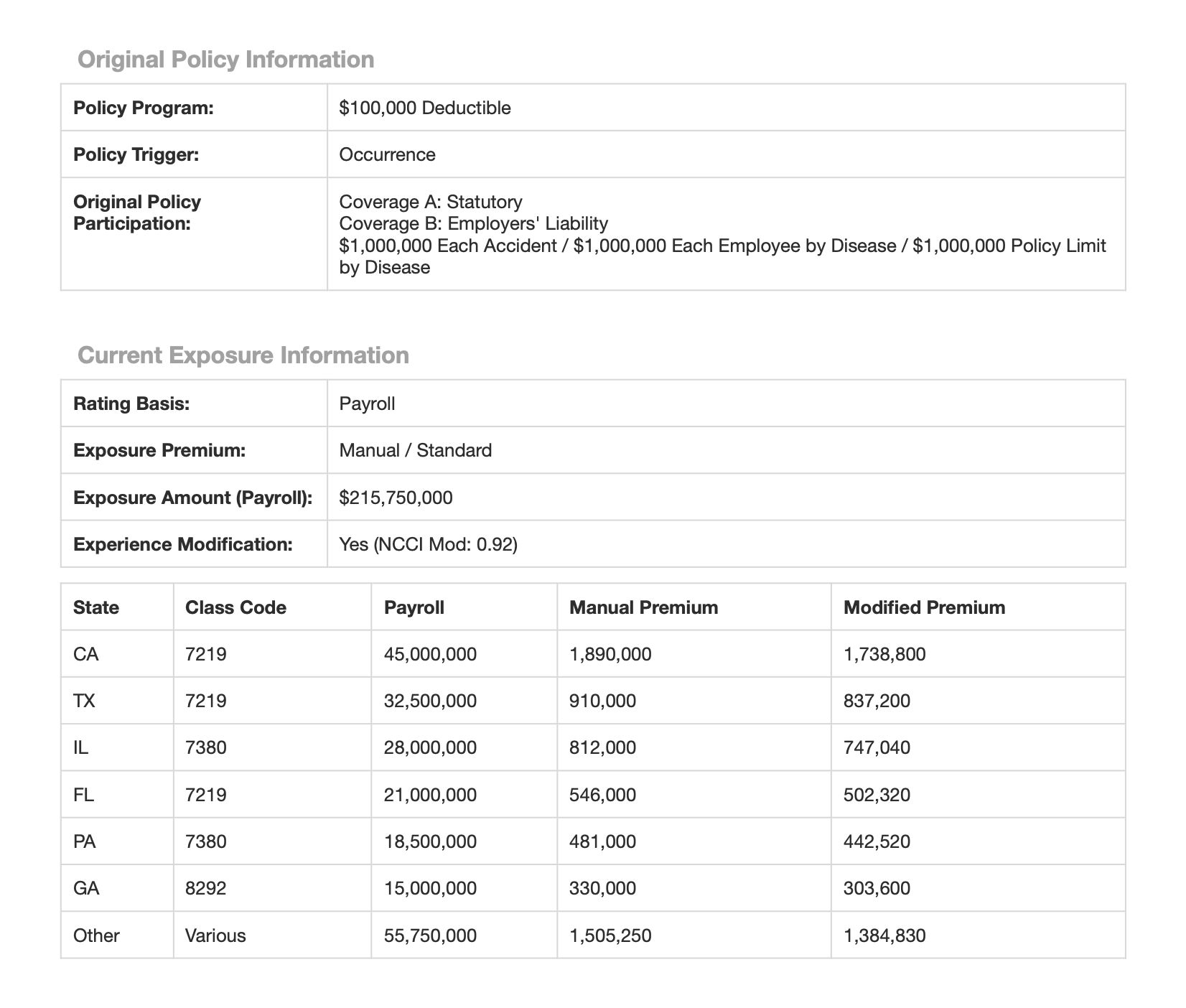
In this tutorial, we will walk through an example of using DocParse to suggest properties for a document via the Aryn DocParse UI that can be later extracted. We will be working with a [sample insurance document](https://aryn-public.s3.us-east-1.amazonaws.com/extraction-tutorial/gri.pdf) that contains a workers compensation reinsurance submission.
 To learn how to suggest properties using the Aryn SDK, you can follow [this tutorial](/docparse/tutorials/suggestion_tutorial).
## Prerequisites
1. Get your free Aryn account by signing up on the Aryn Console at [app.aryn.ai](https://app.aryn.ai).
2. Download the [sample document](https://aryn-public.s3.us-east-1.amazonaws.com/extraction-tutorial/gri.pdf) or have your own handy.
## Suggesting properties with the DocParse UI
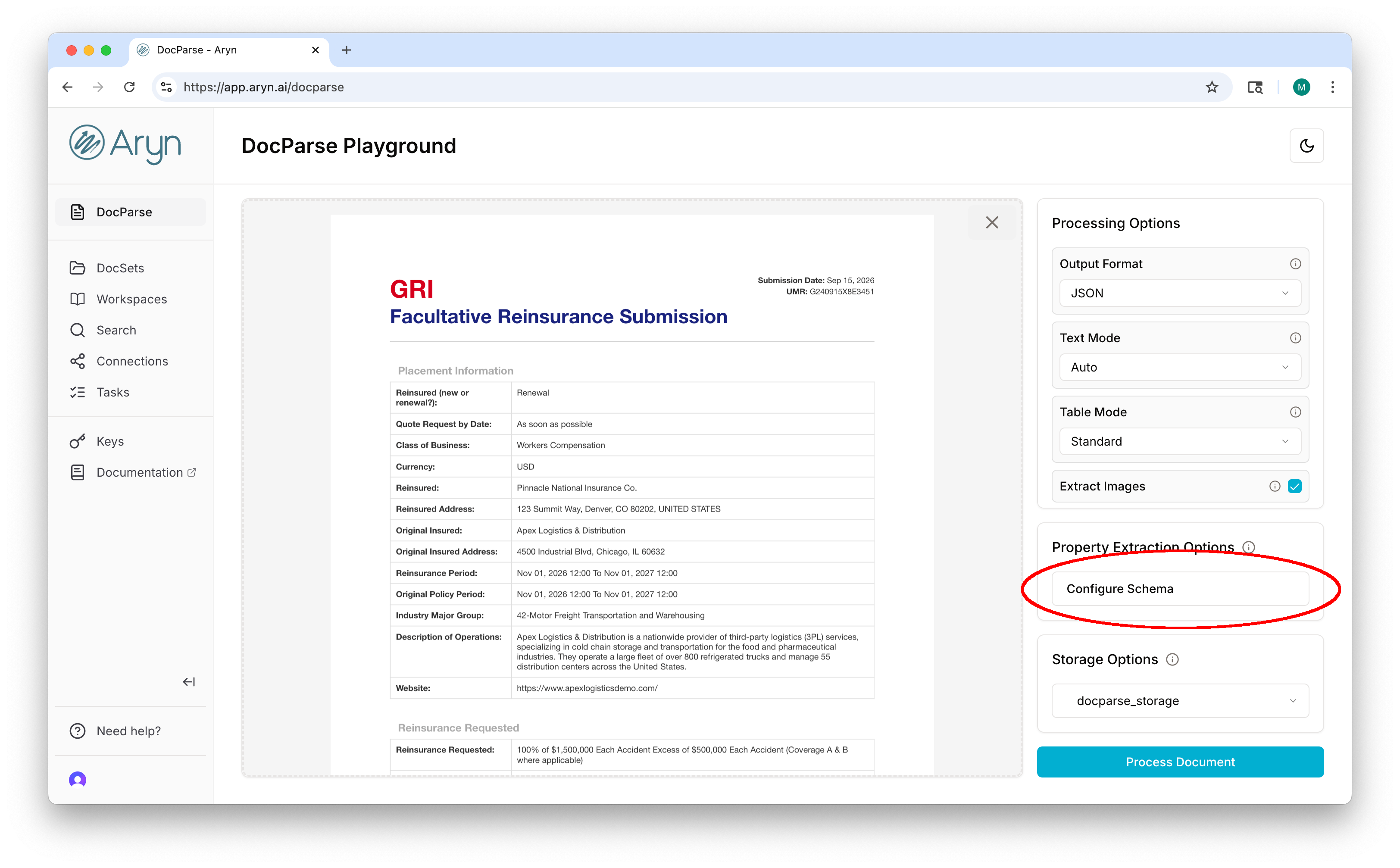
Once you have logged into the Aryn console, load the document you downloaded into the [DocParse Playground](https://app.aryn.ai/docparse). To suggest properties, first click on the \`\`Configure Schema" button on the right-hand side of the page.
To learn how to suggest properties using the Aryn SDK, you can follow [this tutorial](/docparse/tutorials/suggestion_tutorial).
## Prerequisites
1. Get your free Aryn account by signing up on the Aryn Console at [app.aryn.ai](https://app.aryn.ai).
2. Download the [sample document](https://aryn-public.s3.us-east-1.amazonaws.com/extraction-tutorial/gri.pdf) or have your own handy.
## Suggesting properties with the DocParse UI
Once you have logged into the Aryn console, load the document you downloaded into the [DocParse Playground](https://app.aryn.ai/docparse). To suggest properties, first click on the \`\`Configure Schema" button on the right-hand side of the page.
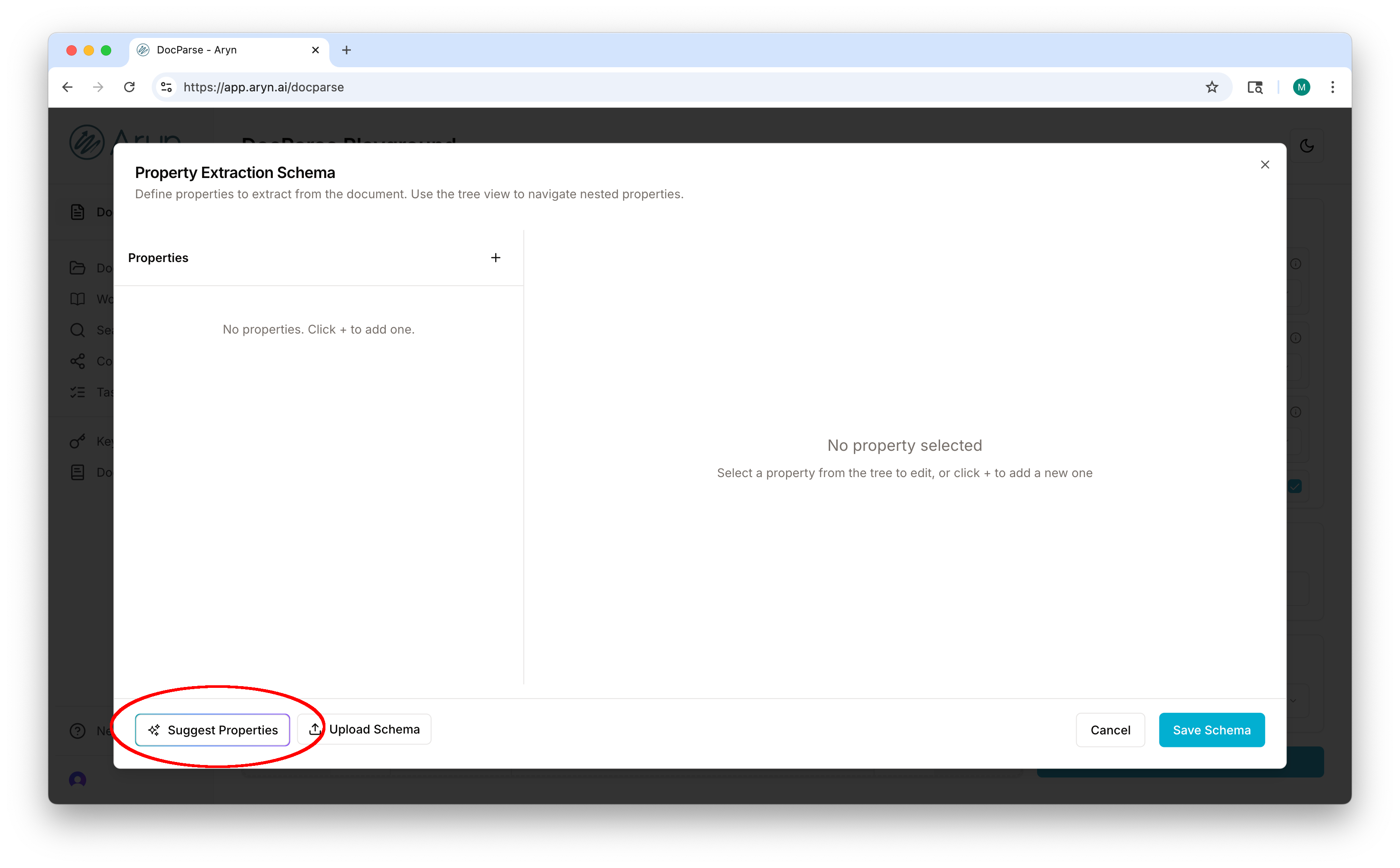
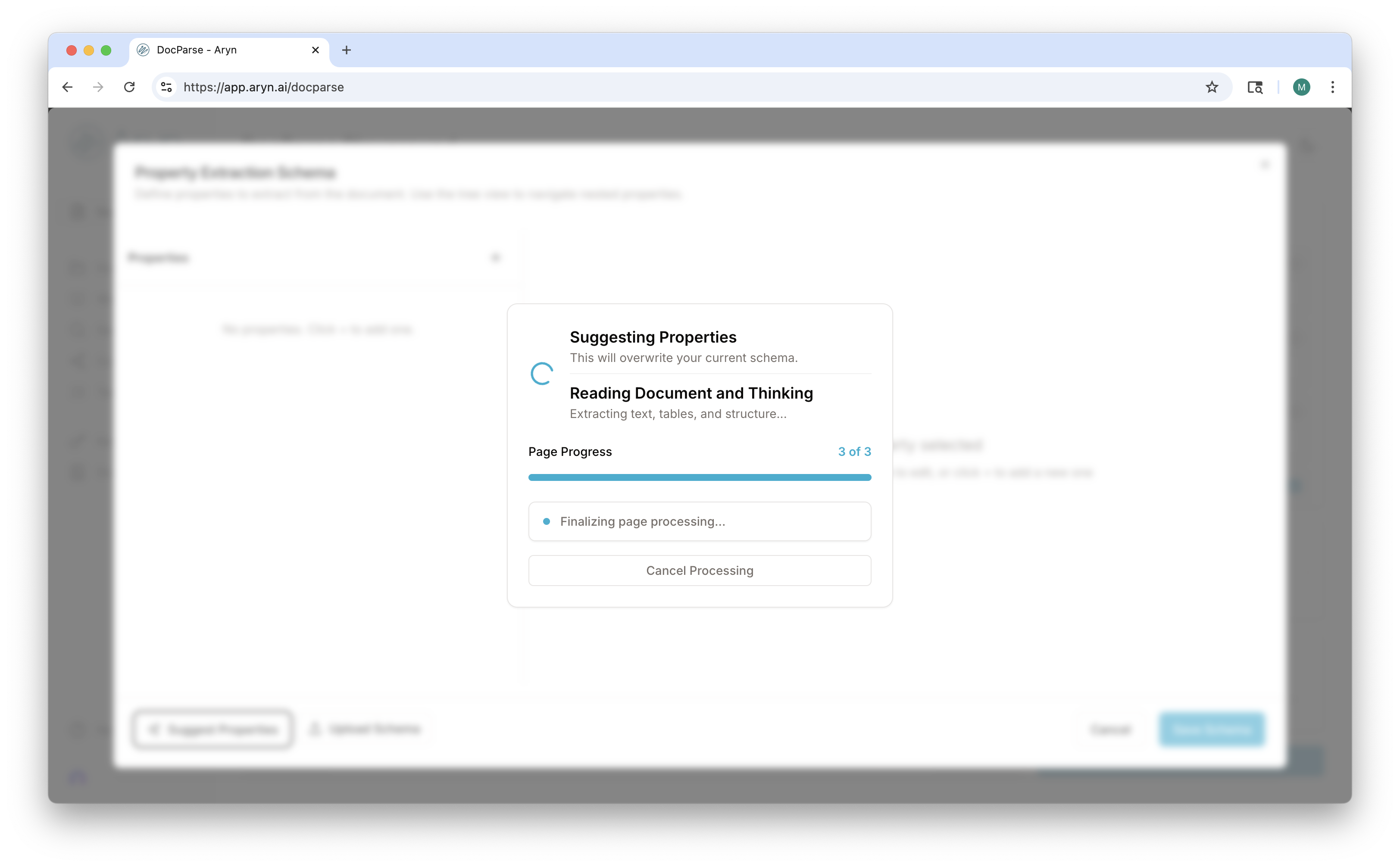
 This brings up the schema creation wizard where you can define the properties you want to extract. Click the "Suggest Properties" button in the lower left corner.
 DocParse will analyze the document and suggest properties for you to review and extract.
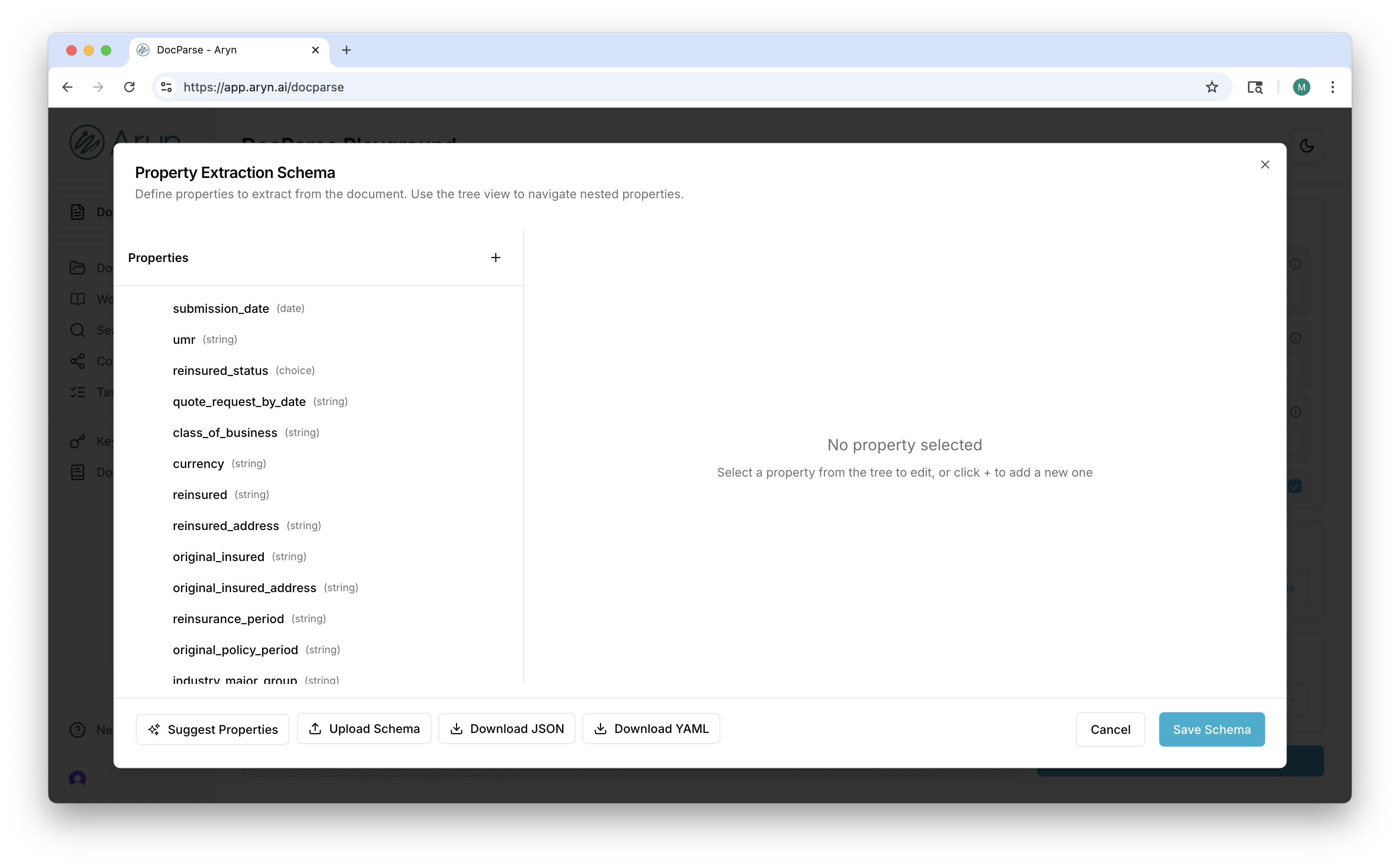
 Et voila! DocParse has suggested properties for you to review and extract. You can now edit the suggested properties or add more. Once you are done, you can click one of the "Download Schema" buttons or click "Save Schema" button and then the "Process Document" button to save the schema and extract the properties from the document.