
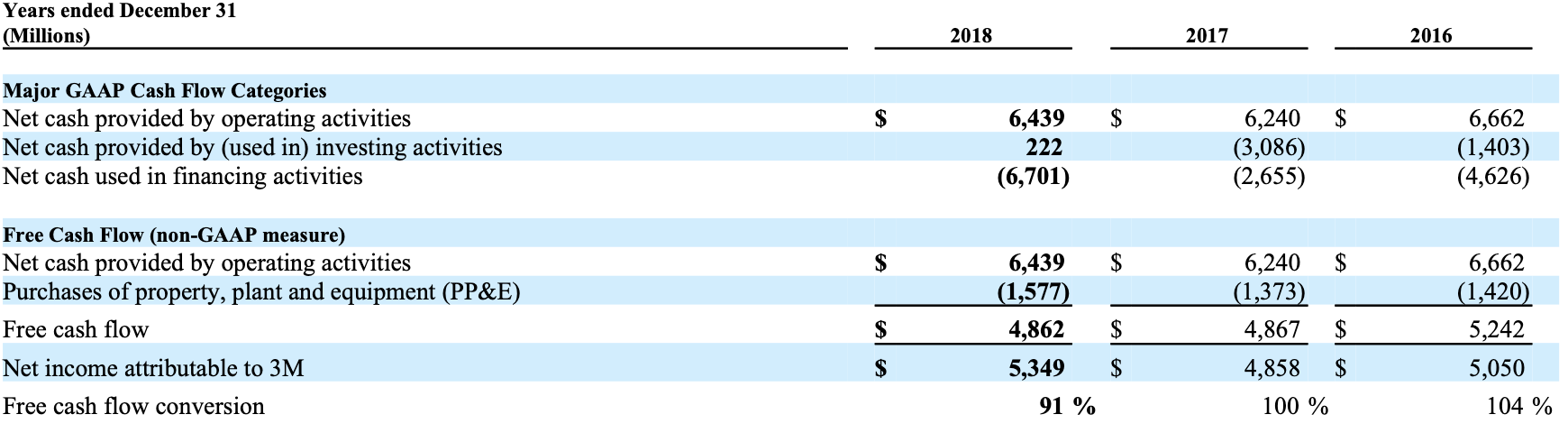
Extracting Table Cell from DocParse
table_demo.py
table element that contains the information about the table in the page.
output.json
cells field which is an array of cell objects that represent each of the cells in the table. Let’s focus on the first element of that list.
cells.json
Displaying the Table
Here we’ve detected the first cell, its bounding box (which indicates the coordinates of the cell in the PDF.), whether it’s a header cell and its contents. You can then process this JSON however you’d like for further analysis. In the notebook we use thetables_to_pandas function to turn the JSON into a pandas dataframe and then perform some analysis on it:
display_table.py